To make booking easier for Summer Holiday Club 2026, we have introduced two ways to book: single-day tickets and package tickets.
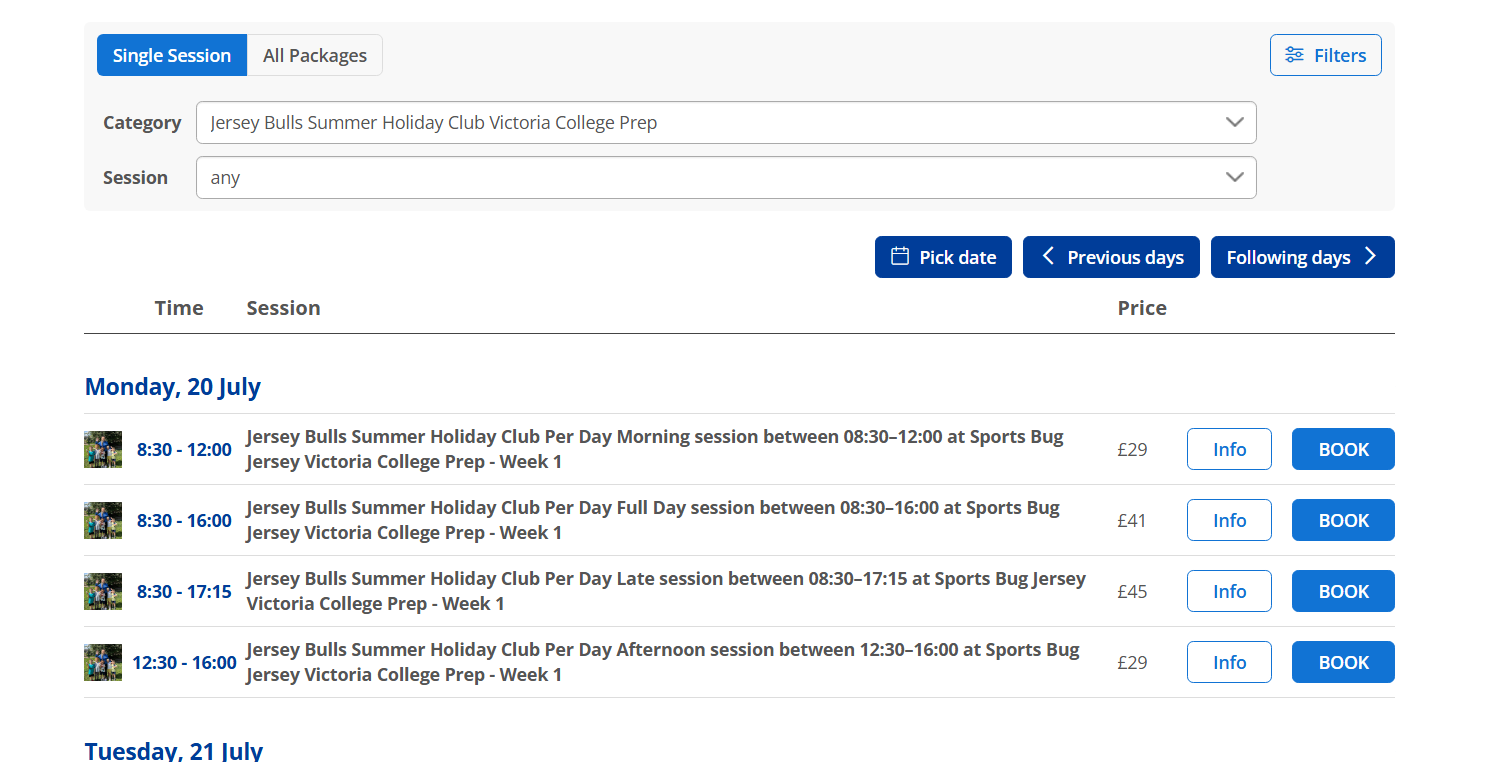
You can book single-day tickets in two ways.
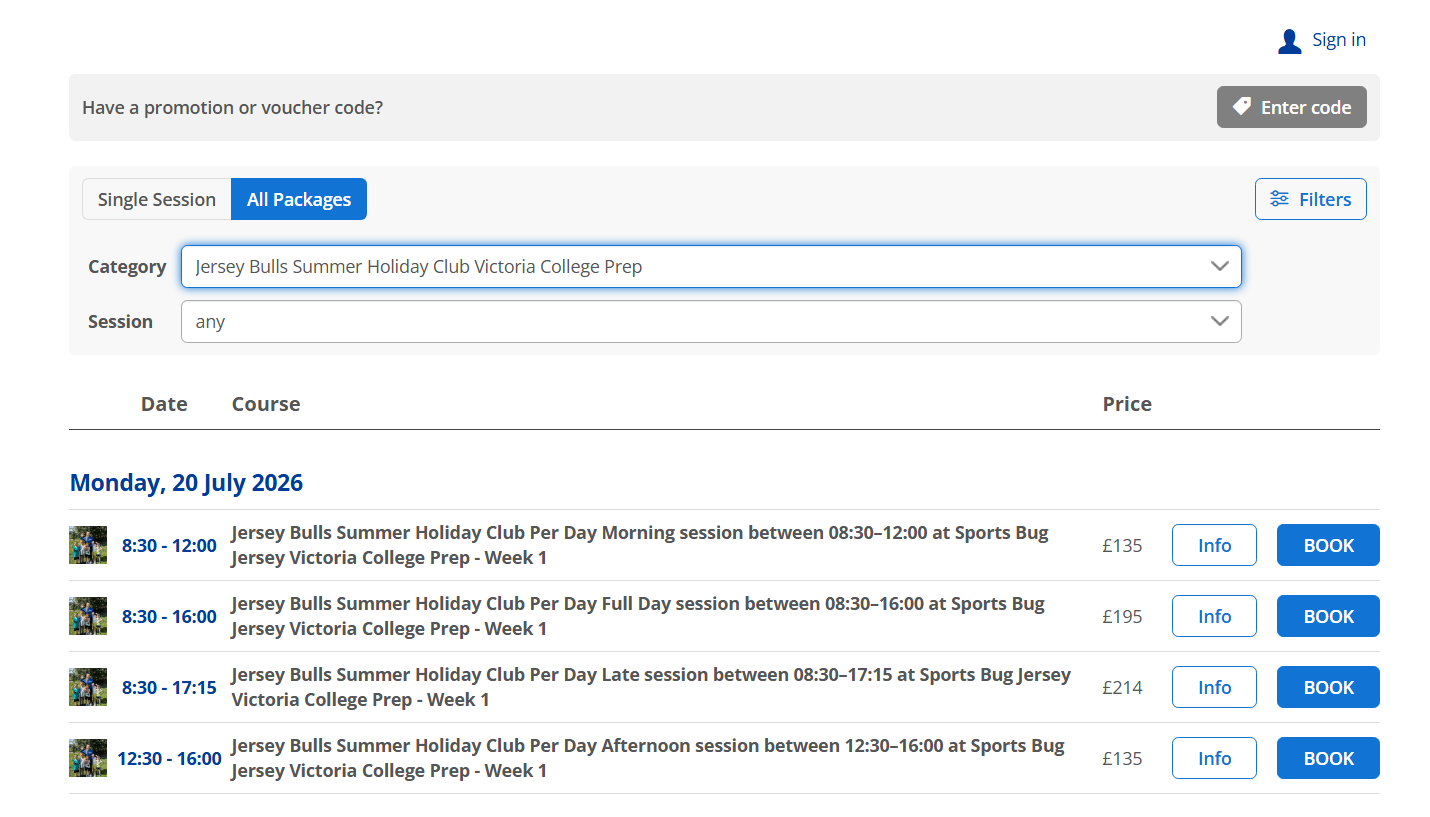
Select All Packages.
Choose the Monday when the week starts, for example Monday 20 July 2026.
Click Book next to the session you want.
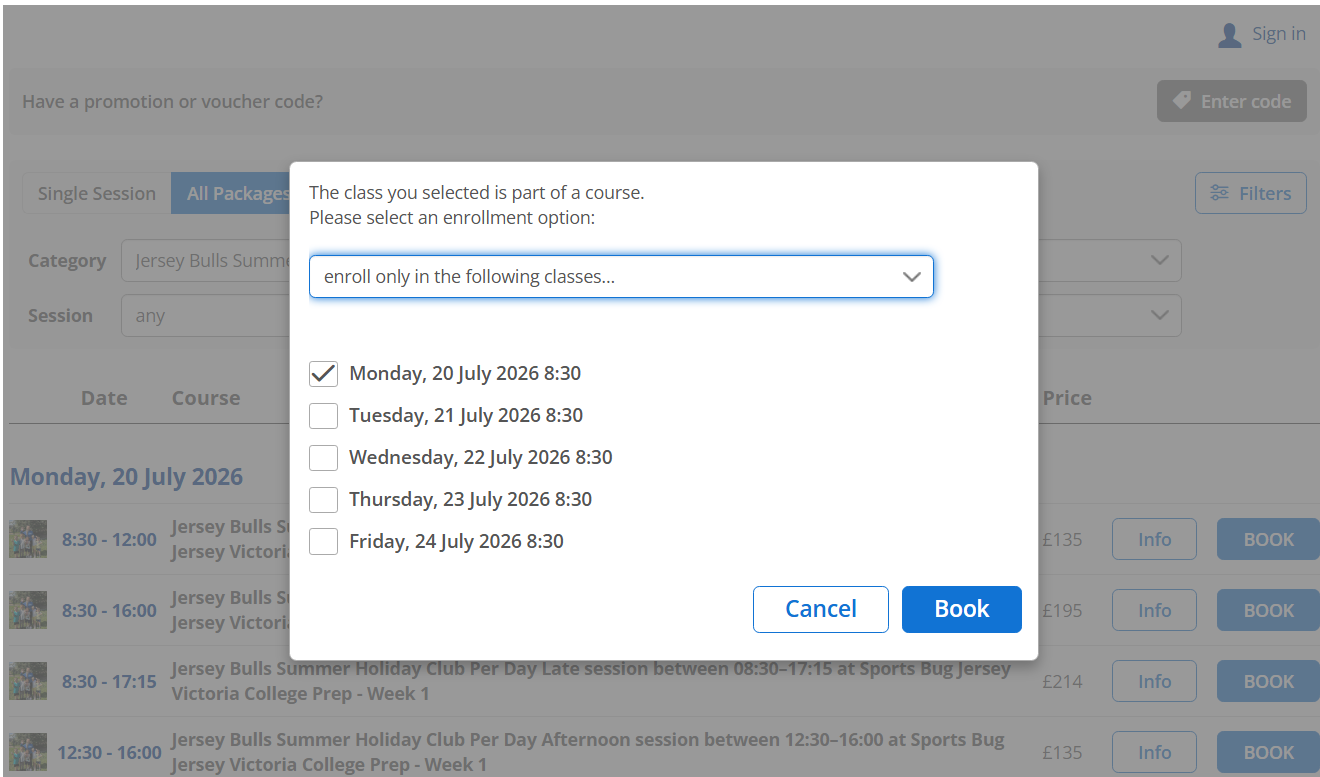
A pop-up window will open asking you to select an enrolment option.
Choose “enroll only in the following classes…”.
Tick the specific day or days you want to book.
Click Book to continue.
This option is useful if you are viewing a full week but only want to book one or selected days.
Select Single Session.
Choose the category, for example Jersey Bulls Summer Holiday Club Victoria College Prep.
Select the day you want to book.
Click Book next to the session you want.
This option is best if you only want to book individual days as separate tickets.
To book a full week, select All Packages, choose the Monday when the week starts, and click Book. On the next screen, select the full schedule, Monday to Friday, and continue with your booking.